Printer leasing comparison · Edinburgh
Printer Leasing Edinburgh
Compare & Save Up To 60%.
What we do
Compare Advantage is a free comparison service. Tell us once what you print and how much, and up to 4 suppliers that cover your postcode will quote on the same specification, so you can compare their prices side by side and choose, with no obligation. Nearly one in five businesses in the capital is a professional firm. If what you print is confidential, compare quotes that spell out secure printing as clearly as the monthly price.
- Up to 4 quotes from suppliers covering your postcode
- Secure print and data wiping itemised on request
- Free, with no obligation to go ahead
Prefer to talk? Call 0330 057 7175
- 10,000+businesses helped
- Up to 4 quotesside by side
- Save up to 60%suppliers compete
- 100% freeno obligation
- Pre-screenedtrusted suppliers
Compare before you choose
Compare printer lease quotes in Edinburgh
Edinburgh’s law, finance and professional firms print documents that must stay confidential, so the cheapest monthly payment is not the whole story. Comparing up to 4 quotes on one specification shows you which suppliers itemise secure printing, scanning and the end-of-lease data wipe, and what each charges for them.
- 1
Tell us once
A minute on the form: what you print, roughly how much, and your postcode.
- 2
Suppliers quote
Up to 4 suppliers that cover your area quote on the same specification.
- 3
You choose
Compare the quotes side by side and pick one, or none. It is free and there is no obligation.
Why comparing pays
Lease quotes rarely line up on their own. One supplier offers a lower monthly payment with a higher cost per page; another a longer term, or a service plan that leaves out toner. Asking every supplier to quote on the same specification is what makes the prices comparable, and the printer lease calculator gives you a ballpark to measure them against.
What to compare in Edinburgh
- Secure release and encryption. Is pull printing included, and is the hard drive encrypted as standard?
- Scanning into case files. Can the machine scan straight into your case or document management system?
- Fleets across floors. If you have several floors or offices, compare one quote for the whole fleet.
- Recharging print to clients. Is print management software included, so you can record pages against client matters?
- The data wipe. Ask for a certificate of the drive wipe when the lease ends, in writing in the quote.
The city’s business mix
Law, finance and professional firms
Edinburgh has 18,635 businesses. What sets it apart is the kind: professional, scientific and technical firms make up 19.2% of them, finance and insurance 3.7%, and information and communication 8.8%, all well above the Scottish and UK shares. ONS counts 430 legal practices in the city, more than Glasgow’s 350 even though Glasgow has more businesses overall, and 260 banks and other financial firms.
Those are the offices that print client files, contracts, statements and board papers. For them, the cheapest monthly price is only half the question. The other half is what happens to sensitive documents on and around the machine.
| Share of businesses | Edinburgh | Scotland | UK |
|---|---|---|---|
| Professional, scientific and technical firms | 19.2% | 14.1% | 15.3% |
| Finance and insurance | 3.7% | 1.6% | 2.1% |
| Information and communication | 8.8% | 4.4% | 6.8% |
| Businesses with 10 to 249 staff | 13.5% | 12.0% | 10.4% |
ONS UK Business Counts 2026, City of Edinburgh, Scotland and UK, via Nomis.
Confidential documents
Secure printing, written into the lease
A modern copier is a networked computer with a drive inside. Many keep images of what has been scanned, copied or queued. UK GDPR expects personal data to be kept secure, and the ICO’s guide to data security applies to devices and paper as much as to laptops. These are the features to ask every supplier about:
- Print releaseJobs wait until the owner signs in at the machine with a PIN or card.
- Encrypted storageAnything the device keeps on its drive is encrypted, and cleared after each job if you choose.
- Job logsA record of who printed, copied or scanned what, and when.
- Wipe at the endAn overwrite or removal of the drive, with a certificate, written into the lease.
At the end of the lease, the machine goes back to the finance company. Agree before you sign how the drive will be overwritten or destroyed, and ask for a certificate. Do not take the drive out yourself: it can stop the machine working and leave you liable for it.
Scanning as much as printing
From paper to the case file
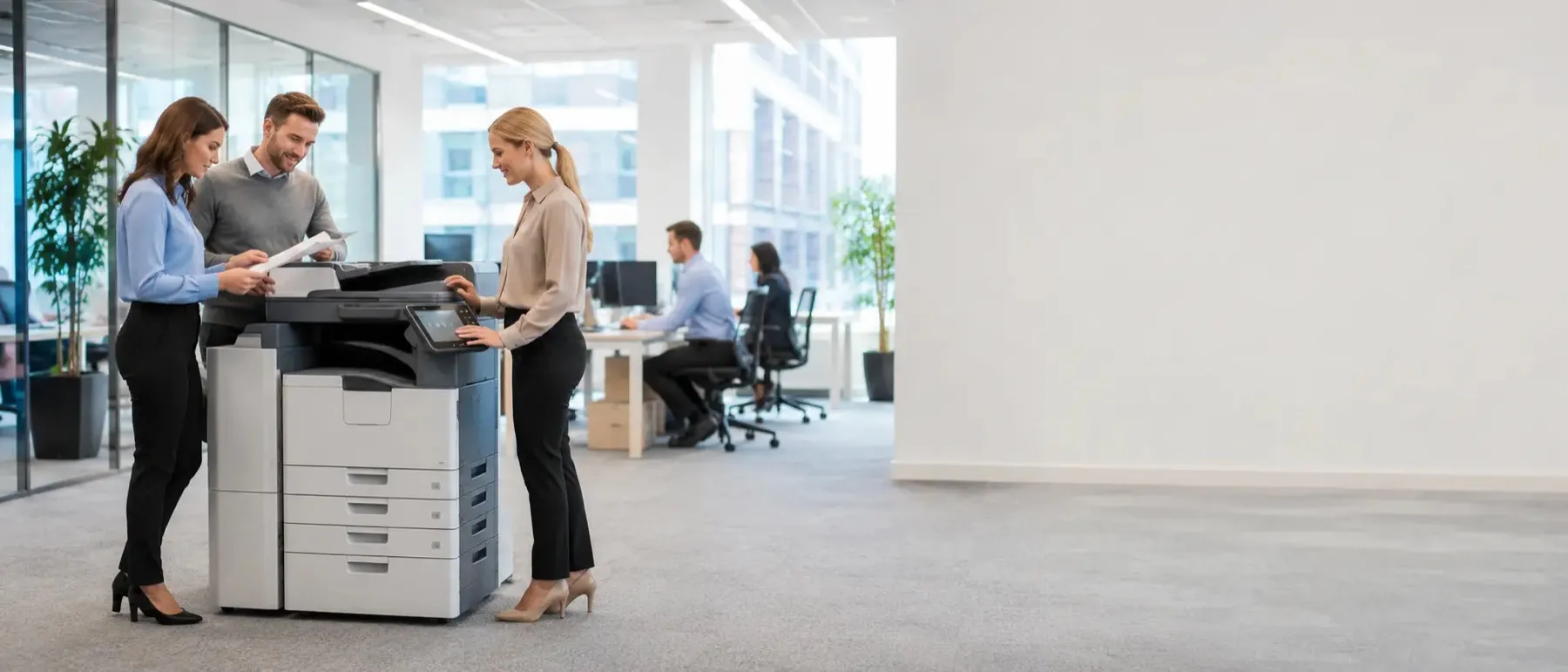
In a lot of professional offices the copier earns its keep as a scanner. Signed engagement letters, ID documents, title deeds and incoming post all need to end up in the right digital file, quickly and without being emailed around.
When you compare quotes, ask what each machine can scan straight into: email, a network folder, or the document or practice management system you already use. Ask how fast it scans double-sided documents, whether it can make searchable PDFs, and whether scanned files are kept on the device or sent and cleared.
Scan destinations
Email, network folders, cloud storage or your practice system
Speed
Double-sided scanning in one pass saves a lot of time on bundles
Searchable PDFs
Text recognition so scanned documents can be searched later
A practice checklist
Data protection and the office printer in Edinburgh
Data protection is usually thought of as an IT matter, but the copier sits where IT and paper meet. It receives documents over the network, may store them, prints them into a shared tray and scans them back into your systems. Each of those steps is a place where personal data can go astray.
UK GDPR asks you to keep personal data secure with measures that fit the risk. For a firm handling client files, that means thinking about the printer as deliberately as the laptop. Use this checklist when you choose a new machine and when you write your office procedures.
Nothing left in the tray
Use print release so documents only print when their owner is at the machine. It also cuts the number of forgotten printouts.
Know what the machine keeps
Find out what the device stores, for how long, and whether storage is encrypted. Set it to clear jobs once they are printed where that is available.
Control who can scan where
Limit scan-to-email to addresses inside the firm, or to set destinations, so a document cannot be scanned straight out to a personal inbox by mistake.
Keep the machine up to date
Ask the supplier how firmware updates are applied and how often. A networked device needs patching like any other.
Admin passwords changed
Make sure the default administrator password is changed at installation, and that only named people hold it.
Decide who sees the logs
Job logs show who printed what. Agree who can see them and how long they are kept.
Plan the end of the lease
Agree in the contract how stored data will be removed, by whom, and what evidence you will get.
None of this needs to be complicated. Most of it is configured once, when the machine is installed, so it is worth asking each supplier to describe how they would set these up for you before you choose.
Print management software
Print management for Edinburgh firms: rules, quotas and recharging
Print management software sits between your computers and your machines. It is what makes print release work, but it can do a lot more. It can send large jobs to the fastest machine, default everyone to double-sided mono, ask before printing a long colour document, and stop jobs being sent to a machine that is out of paper.
For firms that bill time and costs to clients, the most useful feature is often recharging. Staff choose a client or matter number when they print or copy, and the software records the pages against it. At month end you have a report of print costs per client, which can be added to a bill or simply used to see where the money goes.
Quotas are the other common use. A department can be given a monthly page allowance, with a warning as it gets close. Used sensibly, that keeps colour printing for the documents that need it without anyone feeling policed.
| Feature | What it does for a professional firm |
|---|---|
| Secure release | Documents stay on the server until the owner signs in at any machine |
| Client or matter codes | Pages are recorded against a client so costs can be recharged or reported |
| Rules | Double-sided by default, prompts before large colour jobs, routing to the right machine |
| Reports | Who prints what, in which department, on which machine |
Software is sometimes included in a quote and sometimes priced as an extra, per user or per machine. Ask for it to be shown as its own line so you can compare the full cost.
Sizing the fleet
One large machine, or several smaller ones, for an Edinburgh office?
A single large, fast machine usually gives the lowest cost per page and keeps everything in one place. Several smaller machines put printing closer to people, keep working if one breaks down, and suit offices spread over several floors.
There is no single right answer, but there are good questions to ask. How far do people walk to the printer now? What happens to the office if the only machine is out of action for a day? Do some teams print far more than others, and could they have their own machine while everyone else shares?
One large machine
- Lowest cost per page
- Fastest for big jobs and bundles
- One machine to look after
- Everything stops if it is down
Several smaller machines
- Printing close to each team
- Others carry on if one is down
- Suits several floors
- Higher total rental
With print release, the two approaches can be mixed: send a job from your desk, then collect it from whichever machine is free. Ask suppliers to price both options for your office so the trade-off is in pounds, not guesswork.
In pounds
Two compact machines or one larger one: an Edinburgh example
Take an office printing about 5,000 pages a month, half of them in colour. Our lease calculator puts two compact A4 colour machines, each printing 2,500 pages, at about £96 a month together on 60-month terms. One A3 colour machine printing all 5,000 pages comes to about £93 a month.
So the single machine is cheaper on paper, but it puts all your printing in one place and can print A3. Two machines cost a little more, keep a floor working if the other is out of action, and save a walk up or down the stairs dozens of times a day. Which is better value depends on your building and how you work, which is why it is worth asking suppliers to price both. These are our own planning figures, not quotes.
Professional firms in numbers
Who prints confidential documents in Edinburgh
| Type of firm (ONS 2026) | In the city |
|---|---|
| Legal practices | 430 |
| Banks and other financial firms | 260 |
| Accounting, bookkeeping and tax firms | 240 |
| Software and IT firms | 1,130 |
Legal, financial and accounting firms handle personal and commercial information every day, much of it still on paper at some stage. Software and IT firms tend to print less, but they are often the ones who notice when a copier on the network has not been patched. Between them, they are the reason this page puts security ahead of speed.
At the end of the term
The end-of-lease data wipe for Edinburgh firms, step by step
When a leased machine leaves your office it goes back to the finance company and, often, on to be refurbished and used again elsewhere. Whatever it has stored needs to be gone before it leaves. Agree the process in writing when you sign, then follow it when the time comes.
- 1Agree it up frontThe lease or service agreement says how stored data will be removed, who does it, and what proof you get.
- 2Book the collectionGive notice as the agreement requires and arrange the collection date with the supplier.
- 3Clear the address booksRemove saved email addresses and scan destinations, which may be personal data in their own right.
- 4Overwrite or remove the driveThe engineer runs the overwrite or removes and destroys the drive, as agreed. Do not remove it yourself.
- 5Get the certificateKeep written confirmation, with the machine’s serial number, of what was done and when.
File the certificate with your data protection records. If anyone ever asks what happened to the machine that held your client documents, you will have the answer in one place.
Two kinds of office
Edinburgh’s historic centre and its business parks
The capital’s offices fall roughly into two groups. In the Old Town and New Town, many firms work in converted period buildings: separate rooms, several floors, and not much spare space for a large machine. Out to the west, around Edinburgh Park and South Gyle, offices are more likely to be modern open-plan floors where a bigger shared machine sits comfortably.
That difference changes the right set-up. A practice spread over the floors of a townhouse may be better served by two or three compact machines, one per floor, with print release so anyone can collect from any of them. An open-plan floor in a business park can usually do with fewer, larger machines placed centrally. Tell suppliers what your space is like, ideally with a rough floor plan, and they can suggest the layout as well as the machine.
Period building, several floors
Compact machines on each floor, print release across all of them, and a check that each machine fits its space and its power supply.
Open-plan floor
Fewer, larger machines in a central print area, with finishing if you produce bound documents.
Peaks in the year
Sizing an Edinburgh office for its busiest weeks
Professional firms rarely print evenly through the year. The city’s 240 accounting and bookkeeping firms, for example, have their busiest stretch before the 31 January Self Assessment deadline. Law firms see peaks around completions, hearings and the bundles that go with them. Financial firms have quarter-ends and year-ends.
A machine sized for an average month can struggle in those weeks, and a queue at the copier on a deadline day is expensive. When you ask for quotes, give suppliers your busiest month as well as your average, so they can recommend a machine with enough speed and paper capacity. If the peak is short and sharp, a short-term rental alongside your normal machine can be cheaper than leasing a bigger one all year.
Several floors or sites
When one copier becomes a fleet
Firms that grow across floors, or open a second office, often end up with machines from different suppliers on different terms. Bringing them under one agreement, or one managed print service, gives you one bill, one service contact and one set of security settings across every device.
When you ask for quotes, list every site and roughly how much each prints. Suppliers can then price the right machine for each office instead of one size for all, and you can see whether combining them saves money.
Across the city
EH1 and EH2
Old Town and New Town
The Royal Mile, Princes Street and the streets round St Andrew Square.
EH3
West End, Fountainbridge and Tollcross
Lothian Road, the Exchange and out to Bruntsfield.
EH6 and EH7
Leith and Leith Walk
The Shore, Ocean Terminal and the Walk up to Pilrig.
EH11 and EH12
Gorgie, Haymarket and the west
Haymarket, Sighthill, South Gyle and Edinburgh Park.
Questions
What firms here ask
See also office printer leasing, the lease calculator and every area we cover.
Compare quotesCan a copier really keep copies of our documents?
Many office multifunction devices have internal storage that can hold scanned, copied or queued documents. Ask each supplier what the machine stores, whether it is encrypted, and how it is wiped.
What is secure print release?
Your print job waits in a queue until you sign in at the machine with a PIN or a card. Nothing sits in the output tray for the wrong person to pick up.
Does secure printing cost extra?
Sometimes. Card readers and print management software may be priced separately from the machine, so ask for them to be itemised on each quote.
What should happen to the hard drive when the lease ends?
Agree it in writing before you sign: the drive is overwritten or removed and destroyed, and you receive a certificate saying so. Do not pull the drive out yourself, as it can stop the machine working and leave you liable.
Does data protection law apply to printing?
Yes. UK GDPR requires appropriate security for personal data, and the ICO’s guidance covers paper records and devices as well as computers. Printed client files are no exception.
Can we get a report of who printed what?
Yes, with print management software. Most systems log each job by user, which also helps firms that recharge printing to clients or matters.
How many quotes will we receive?
Up to four, from suppliers that cover your postcode, all priced on the same specification.
We have offices in the New Town and at Edinburgh Park. Can one agreement cover both?
Yes. Ask for a single agreement covering both sites, with the same service terms, so billing and support stay in one place.
Can the copier scan straight into our case management system?
Many can, either directly or through a connector. Name the system you use when you ask for quotes so suppliers can confirm it works.
Can we stop staff scanning documents to their personal email?
Yes. Most machines and print management systems can limit scan-to-email to addresses inside the firm, or to set destinations only.
Can print costs be recharged to clients?
With print management software, staff choose a client or matter code when they print, and the pages are recorded against it for billing or reporting.
Is one large copier better than several small ones?
A large machine usually has the lowest cost per page; several smaller ones put printing closer to people and keep working if one breaks. Ask suppliers to price both.
What proof should we get when the drive is wiped?
A written certificate showing the machine’s serial number, what was done to the stored data, and the date.
Our office is a period building over several floors. What works best?
Often two or three compact machines, one per floor, with print release so people can collect from any of them. Tell suppliers about the layout so they can suggest the right mix.
How do we cope with year-end or deadline peaks?
Give suppliers your busiest month as well as your average. A short-term rental alongside your normal machine can be cheaper than leasing a bigger one all year.
Is one large copier cheaper than two small ones?
Usually, per month. For an office printing about 5,000 pages, our calculator puts one A3 colour machine below two A4 colour machines, but two machines keep each floor working if one breaks.
Do you cover the whole city?
Yes, every postcode, from the city centre and Leith to the business parks in the west.